
 AutoCaptions
 AutoCut Silences
 AutoCut Podcast
 AutoZoom
 AutoViral
 AutoB-Rolls
 AutoCut Repeat
 AutoProfanity Filter
 AutoChapters
 AutoResize
 Help Center
 Blog
Blog Discord
 YouTube
 Ambassador
What’s new
AutoCut Updates
We keep AutoCut fresh with regular updates : new features & improvements so you can edit faster and smarter

We've introduced a brand new XP and Ranking System to make your AutoCut journey more rewarding and more transparent.
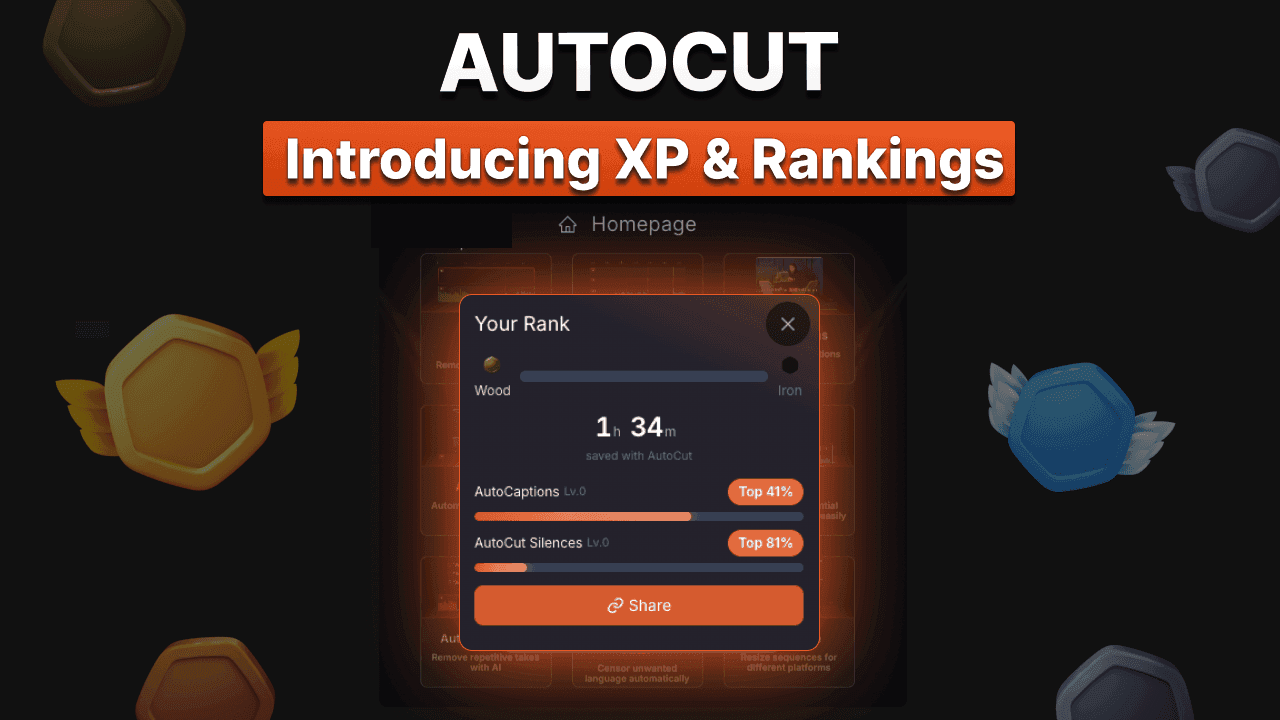
- Your editing journey, quantified
Every time you use AutoCut, you earn XP based on your activity across the plugin.
As your experience grows, you'll progress through different ranks:
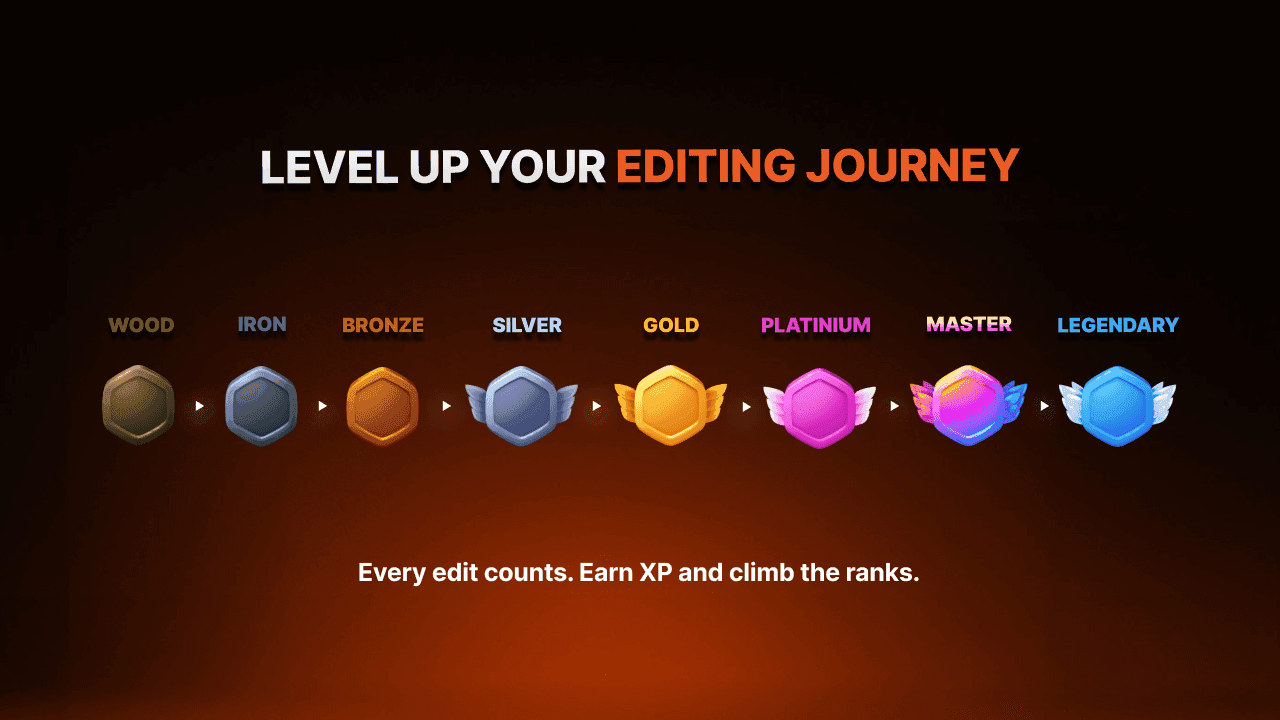
Each rank reflects your experience and commitment as an AutoCut creator.
- More accurate time-saving statistics
Alongside the new ranking system, we've completely revised how saved time is calculated.
Your profile now provides a more reliable estimate of the hours, days, and even weeks you've saved using AutoCut across your projects.
A clearer way to understand the real impact AutoCut has on your editing workflow.
- Discover your editing profile
Your public profile now highlights:
- Your rank
- Your estimated time saved
- Your favorite AutoCut features
Whether you're just starting out or aiming for Legendary status, every edit now contributes to your progression.
Track your journey. Measure your time saved. Level up with AutoCut.
We've rebuilt and optimized key parts of AutoCut's AI engine to deliver dramatically faster processing across the plugin.
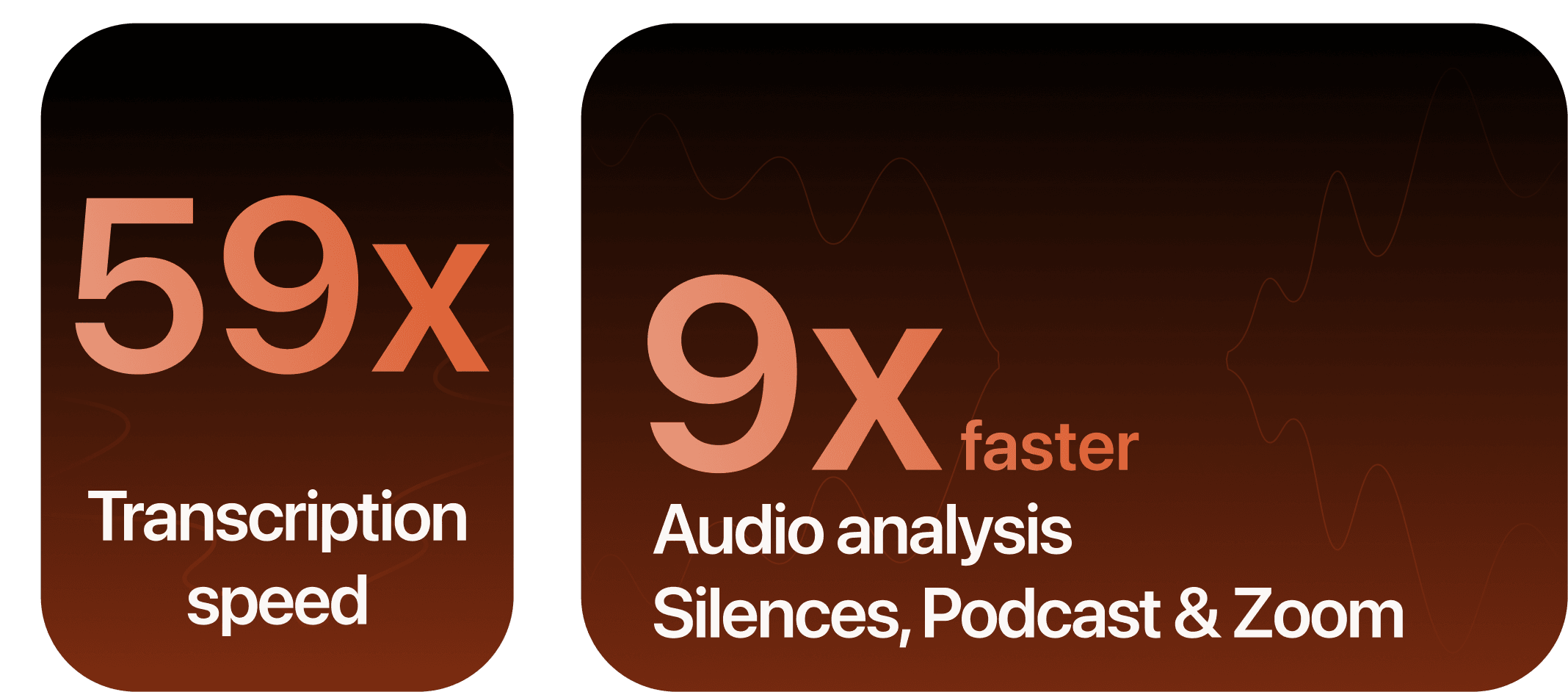
- Up to 9× faster audio analysis
Audio processing is now up to 9× faster in:
- AutoCut Silences
- AutoCut Podcast
- AutoZoom
Projects are analyzed more quickly, reducing processing time and making your editing workflow more responsive, especially on longer recordings.
- Up to 59× faster transcription
Our transcription engine has been completely optimized and is now up to 59× faster.
Captions, chapters, podcast edits, translations, and all transcript-based features can now be generated significantly faster than before.
- Better performance for everyone
These improvements significantly reduce the amount of data exchanged during processing, resulting in a much faster experience for all users.
Whether you're working on a high-speed fiber connection or a slower network, AutoCut now feels noticeably more responsive and efficient.
Available now for all users.
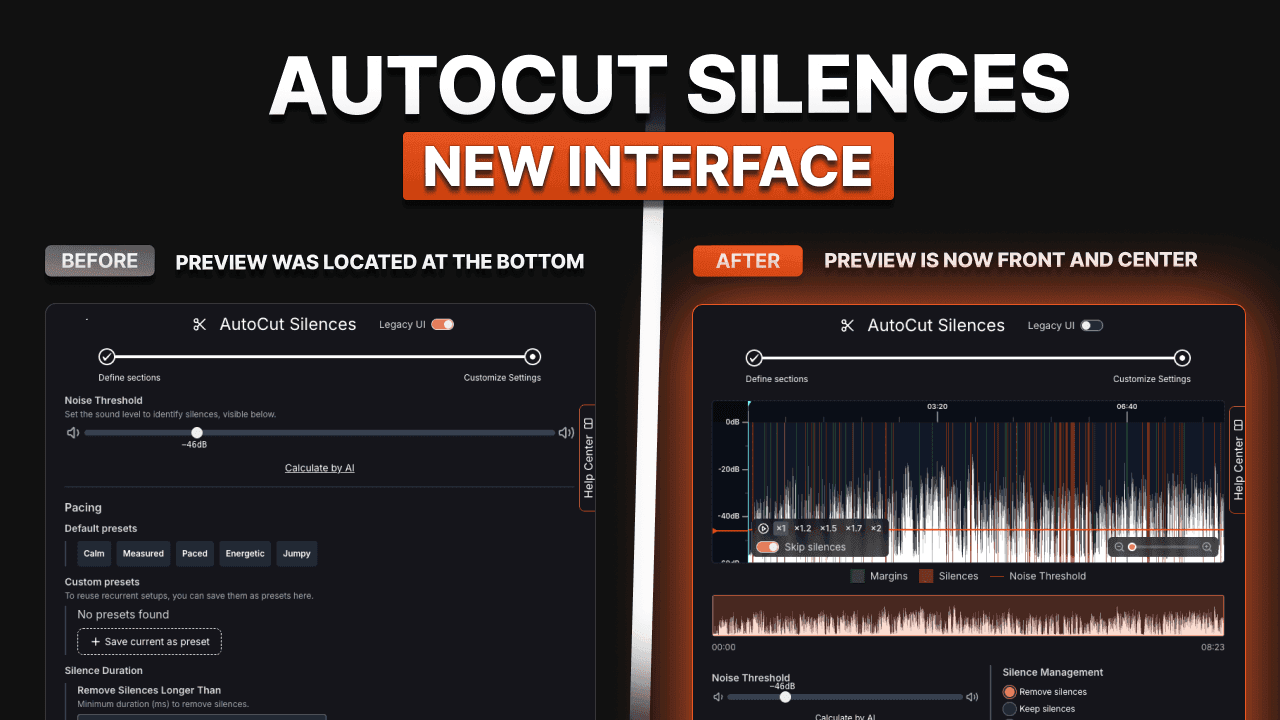
We’ve redesigned the AutoCut Silences interface to make it more visual, intuitive, and easier to use.
The preview is now front and center from the moment you open AutoCut Silences, providing immediate visibility into your edits and settings.
What’s changing :
- Larger and more visible preview area
- Easier to understand and navigate
- Improved overall user experience
This interface was previously available as an optional beta feature. It has now officially left beta and is enabled by default for all users.
No setup required, simply open AutoCut Silences and enjoy the new experience.
AutoCut Podcast now supports Adobe Premiere Pro native multicam editing workflows.
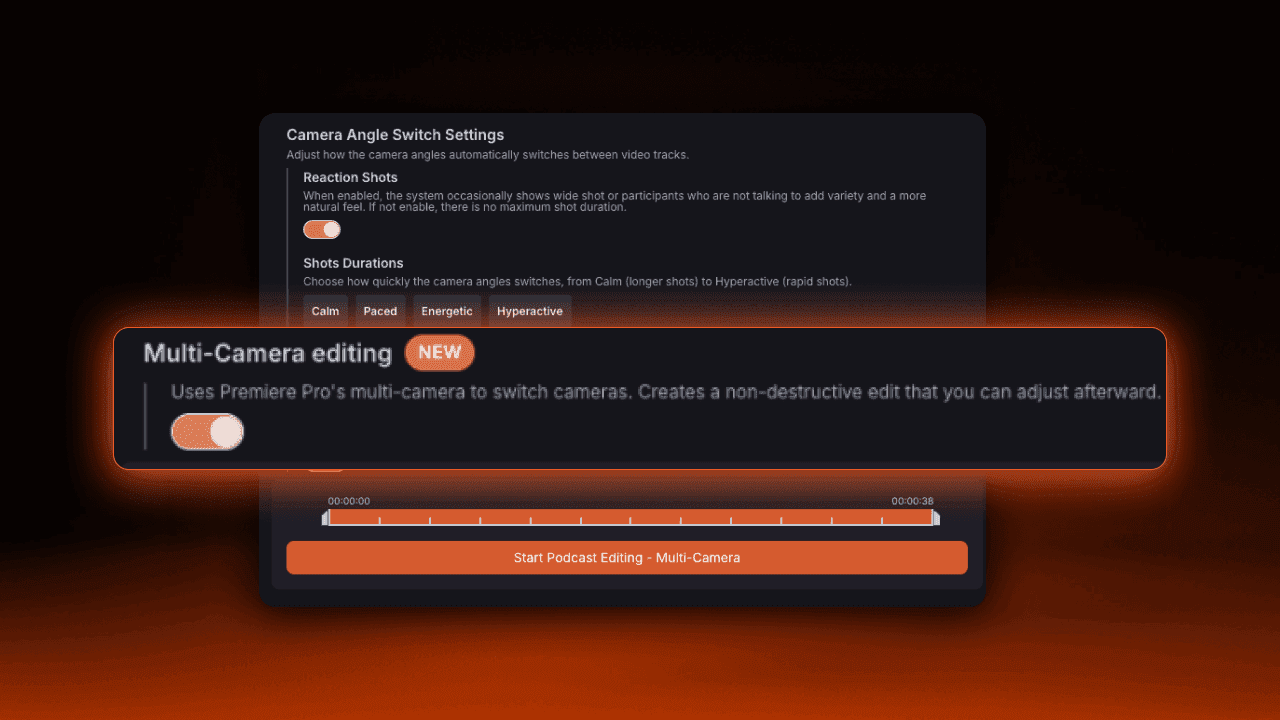
- New: Premiere Pro native multicam workflow
You can now edit podcasts using Premiere Pro’s built-in multicam system directly inside AutoCut Podcast.
When enabled, AutoCut automatically creates a native multicam sequence while keeping your original rushes untouched.
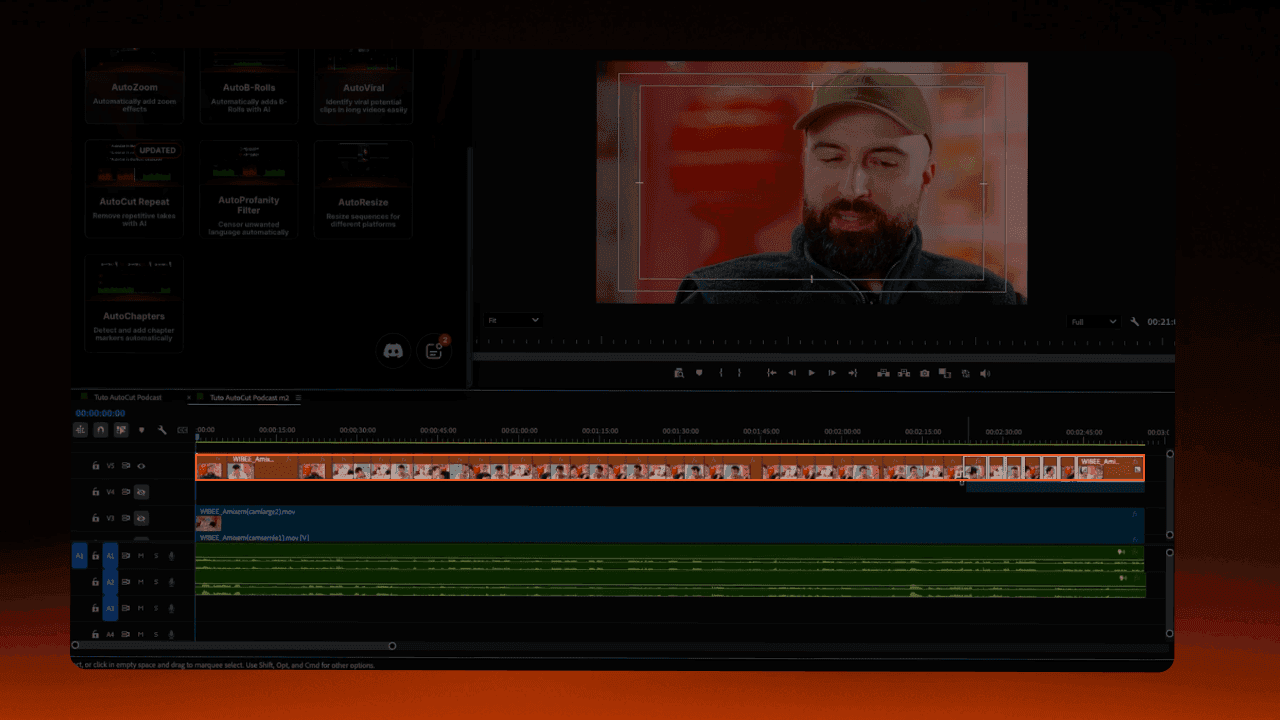
This gives you:
- Faster post-edit camera adjustments
- Full manual control after generation
- A fully non-destructive workflow
- Native Premiere Pro multicam editing
Double-click any section after the automatic edit to instantly open Premiere Pro’s multicam viewer and switch cameras manually.
You can now choose between two workflows depending on your editing style.
Same automatic editing. Different workflows.
We’ve improved AutoChapters to give you more control over chapter generation.
- Adjustable number of chapters

You can now control how many chapters are generated using a simple slider.
Choose between “less”, “default” or “more” chapters depending on your needs.
- Detection fine-tuning

You can now add custom instructions to guide the AI.
Define how chapters should be structured.
For example, focus on topic changes, create a new chapter per speaker, or adapt to your content style.
- Good to know
Fine-tuning is optional but improves relevance
Works across all supported languages
More control over your chapters with less manual structuring.