





I do a lot of podcast editing and this saves me a lot of time. Plus it was really easy to install and get going.



Find high-impact moments in long videos, compare their viral potential, and turn them into shareable short-form clips faster.
14-day free trial - No credit card required!
Step-by-Step
Choose the audio language, then select your detection method transcription, emotion AI, or both — and launch AutoViral.
After processing, easily select the most promising viral clips from a curated list. You can fine-tune their length as needed and utilize the unique built-in 'viral potential score' to quickly identify the highest-performing segments.
Real customer reviews
I do a lot of podcast editing and this saves me a lot of time. Plus it was really easy to install and get going.
Has saved me countless hours of editing! Thank you AutoCut! Resolve integration is amazing and it gives me all the control I need.

The interface is intuitive, and the automation features save a significant amount of time in the workflow.

AutoCut saves me hours of editing with accurate silence removal, captions, and automatic cuts.

Saves you so much time... It's the go-to if you edit long videos regularly (even daily)

My overall experience has been fantastic. It seamlessly integrates into Premiere Pro/DaVinci workflows and handles heavy lifting for repetitive editing tasks.

Excelent! it saves you a lot of time, the autosubs feature and the autocut are aexcelntt

AutoCut significantly reduces editing time by automating repetitive cuts and silence removal.

I've been using this for just a couple of days and it has sped up my workflow. I'm eager to continue using it.

loved autocut siliences and auto caption features because both took me hours to do it manually for my reel videos.

I really appreciate the effort your team puts into continuously improving AutoCut and making the editing experience easier and faster for creators.

It's speed of the functions is great - definitely saves me time. Also with so many different features it makes it good value for money.

I do a lot of podcast editing and this saves me a lot of time. Plus it was really easy to install and get going.
Has saved me countless hours of editing! Thank you AutoCut! Resolve integration is amazing and it gives me all the control I need.
The interface is intuitive, and the automation features save a significant amount of time in the workflow.
AutoCut saves me hours of editing with accurate silence removal, captions, and automatic cuts.
Saves you so much time... It's the go-to if you edit long videos regularly (even daily)
My overall experience has been fantastic. It seamlessly integrates into Premiere Pro/DaVinci workflows and handles heavy lifting for repetitive editing tasks.
Excelent! it saves you a lot of time, the autosubs feature and the autocut are aexcelntt
AutoCut significantly reduces editing time by automating repetitive cuts and silence removal.
I've been using this for just a couple of days and it has sped up my workflow. I'm eager to continue using it.
loved autocut siliences and auto caption features because both took me hours to do it manually for my reel videos.
I really appreciate the effort your team puts into continuously improving AutoCut and making the editing experience easier and faster for creators.
It's speed of the functions is great - definitely saves me time. Also with so many different features it makes it good value for money.
Everything you need to master AutoViral. Access 4 practical resources covering setup, workflows, viral score, and expert tips to create high performing short clips faster.
Support
AutoViral helps you turn long videos into short, viral-ready clips in just a few clicks.
It automatically detects the most engaging segments and suggests ready-to-use clips with a virality score. Learn more here.
AutoViral is ideal for podcasters, YouTubers, interview creators, educational content creators...
Anyone repurposing long-form into Shorts, Reels, or TikTok.
Follow the step-by-step workflow to scan your video, review suggested segments, and generate clips directly in your timeline.
Features
Dive into our 9 AI-powered features to elevate your content.
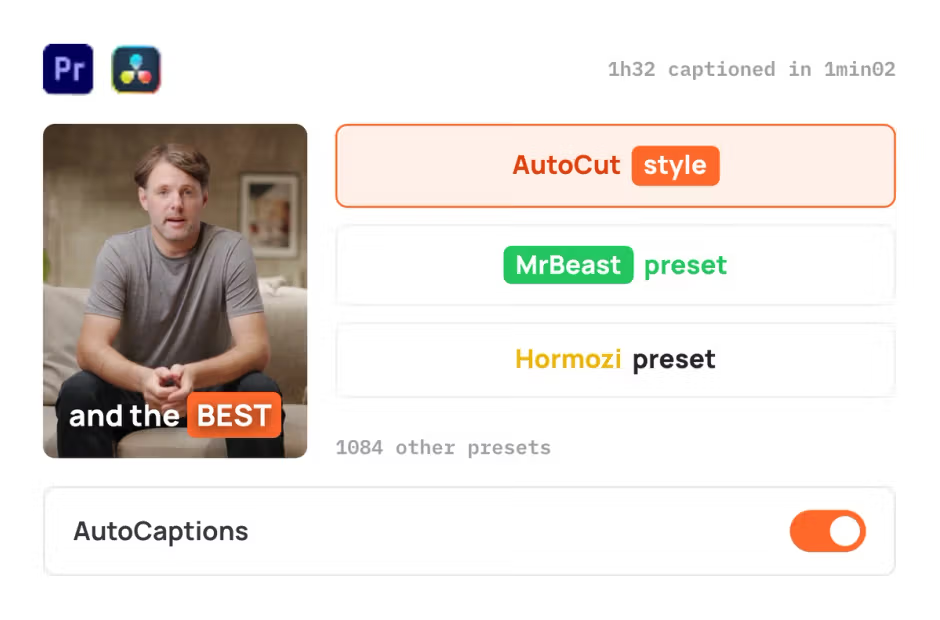
AutoCaptions
AutoCaptions generates animated captions and translates them instantly, boosting the dynamism and engagement of your videos.
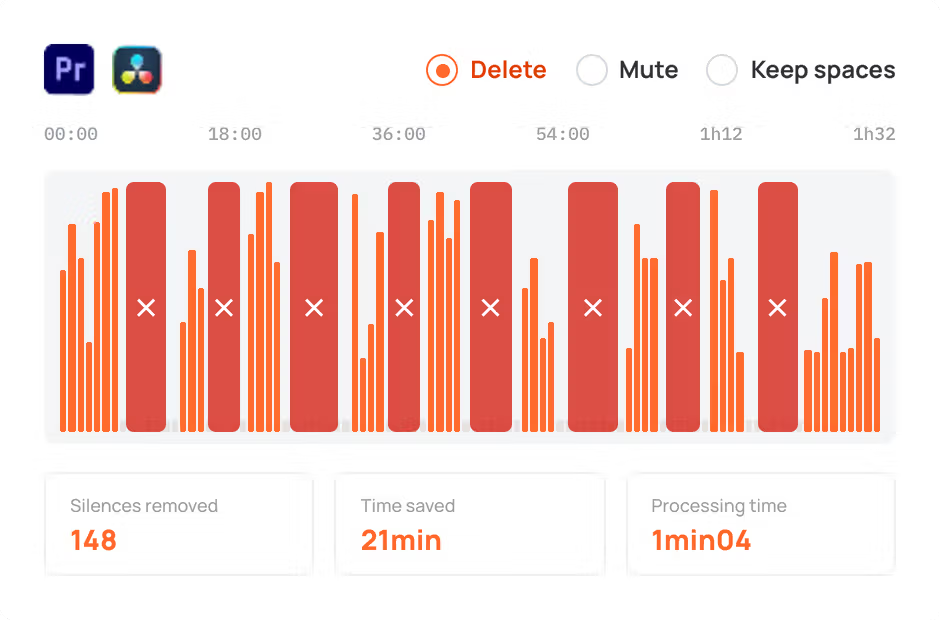
AutoCut Silences
AutoCut Silences eliminates pauses, enhancing video dynamics for a more captivating experience.
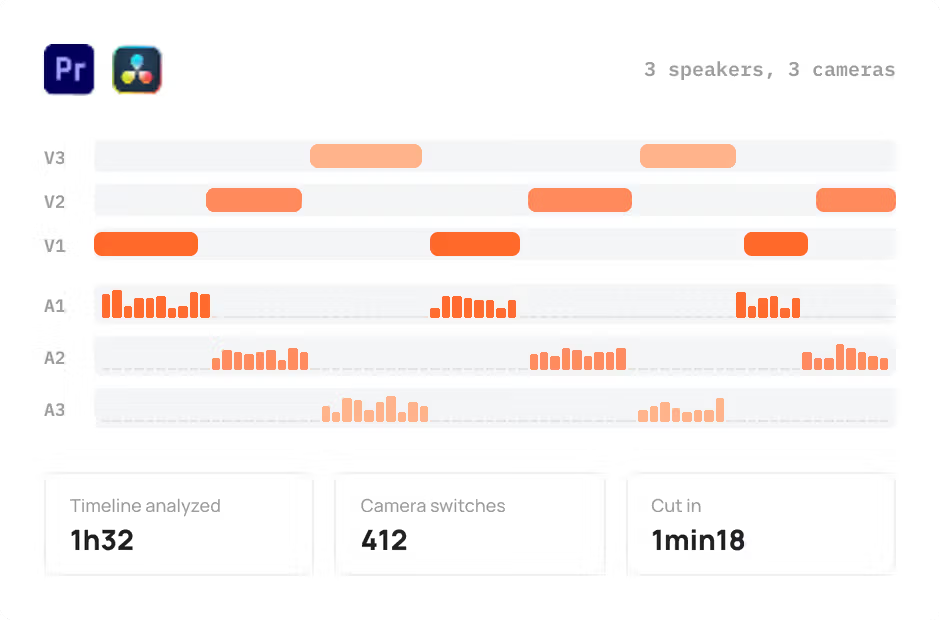
AutoCut Podcast
AutoCut Podcast automates speaker recognition and camera switching for quick multicam podcast editing.
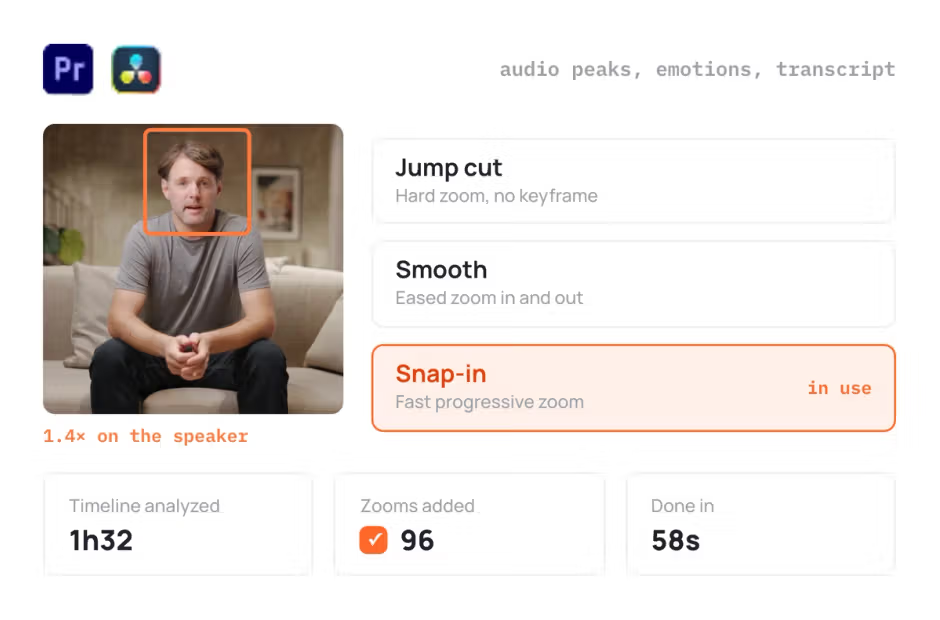
AutoZoom
AutoZoom applies smart and perfectly timed zooms to boost engagement and storytelling.
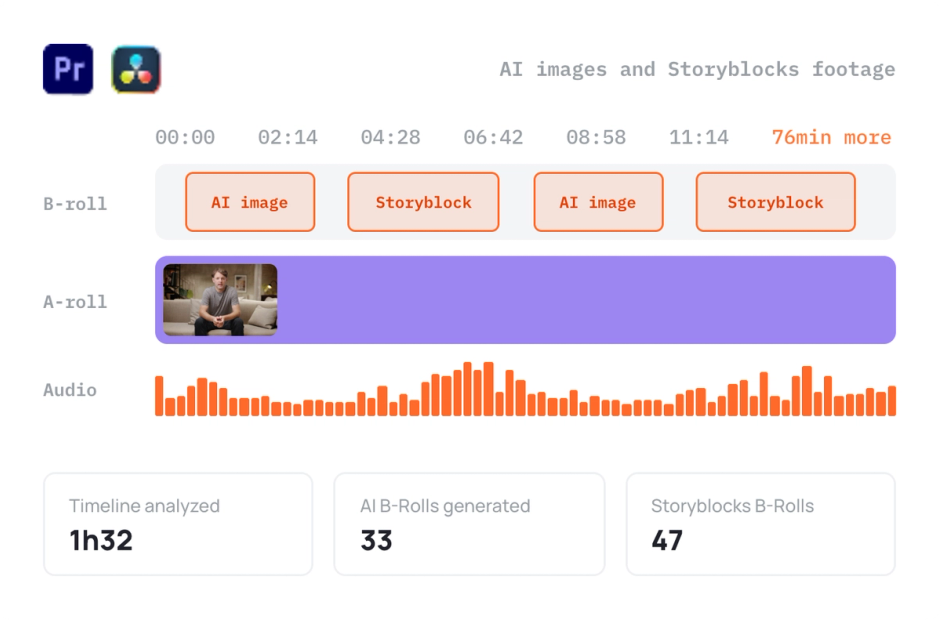
AutoB-Rolls
AutoB-Rolls uses AI to enrich your edits with perfectly integrated stock footage.
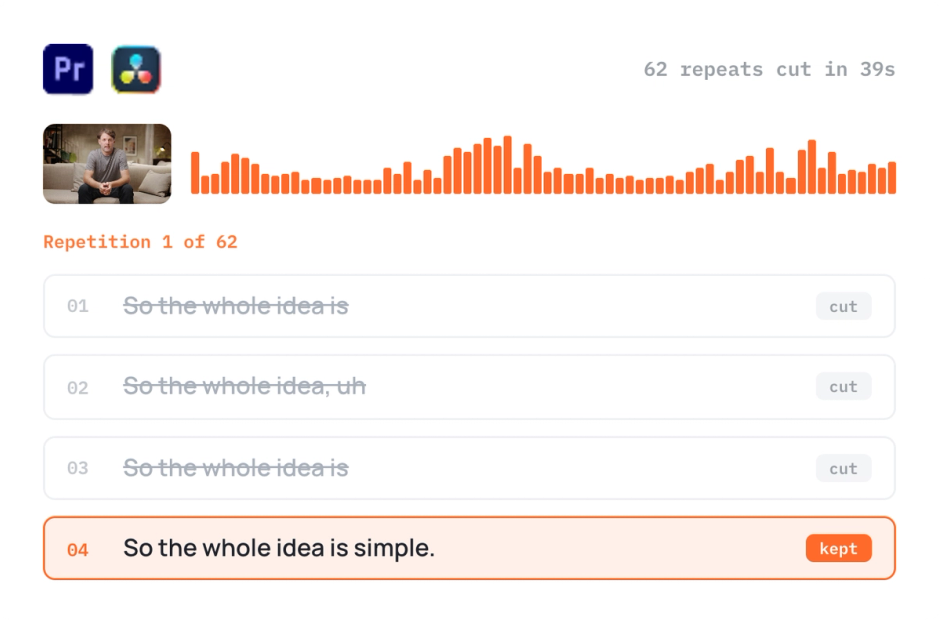
AutoCut Repeat
AutoCut Repeat identifies content repetitions and preserves only the best takes.
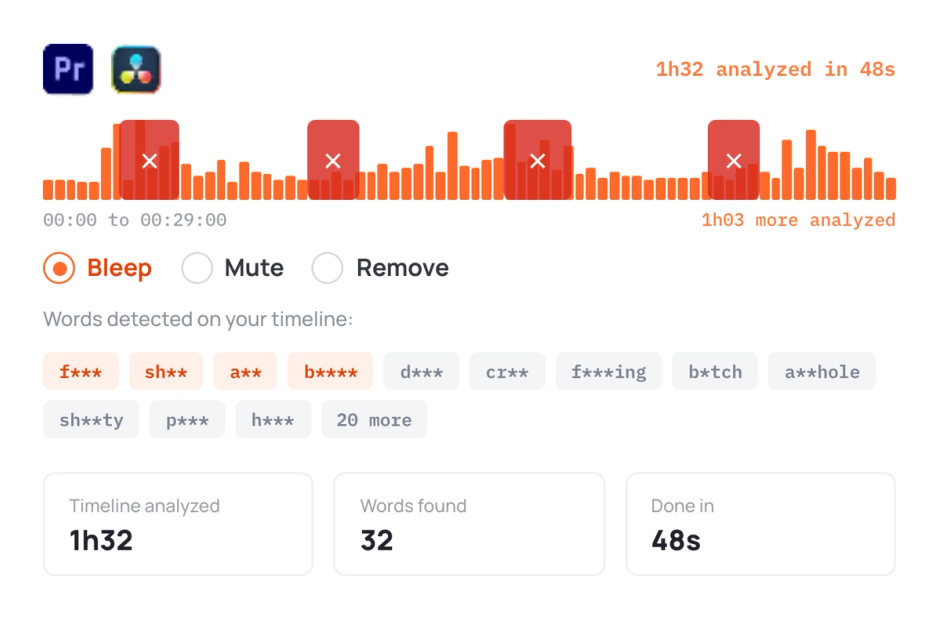
AutoProfanity Filter
AutoProfanity masks profanities with sound effects, ensuring content integrity.
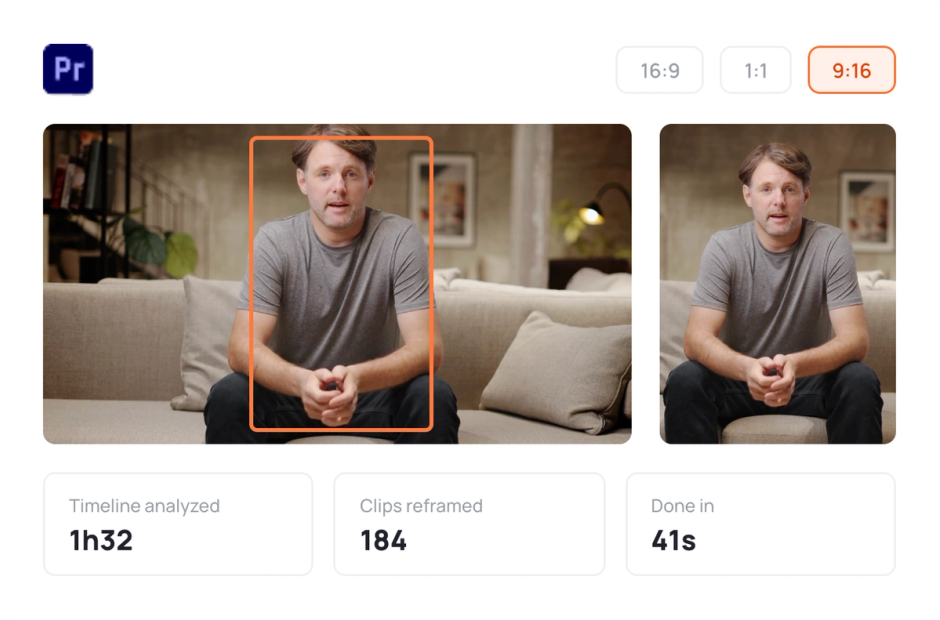
AutoResize
AutoResize adapts sequences to social formats, smartly keeping subjects centered.
Less repetitive editing. More time to create.
No credit card required



 AutoCut Silences
 AutoCaptions
 AutoZoom
 AutoBRolls