


































14-day free trial • No credit card required

The AI video editing plugin for Premiere Pro & DaVinci Resolve

Automate repetitive editing tasks and save hundreds of hours.

Download AutoCut for free

14-day free trial • No credit card required • All features included

4.8/5 on Trustpilotfrom 208 reviews
4.7/5 on Googlefrom 241 reviews
Mail to AutoCut

14-day free trial • No credit card required • All features included

Premiere ProPremiere Pro
DaVinci ResolveDaVinci Resolve
ImportEditExport
Adobe Premiere Pro
Project - Edited
Project: AutoCutEffectsGraphics TemplatesAdobe Stock»
AutoCut.prproj
NameFrame RateMedia Start
AutoCut.mp425,00 fps00:00:00:00
SourceProgram: AutoCut.mp4
00:01:41:53
Fit
Full
00:01:45:26
PropertiesEffect ControlsLumetri ColorEssential Sound»
SourceAutoCut.mp4
Unassigned MasksClear all
fxMotion
Position960.0540.0
Scale100.0
Scale Width100.0
Uniform Scale
Rotation0.0
Anchor Point960.0540.0
Anti-flicker Filter0.00
Crop Left0.0 %
Crop Top0.0 %
Crop Right0.0 %
Crop Bottom0.0 %
fxOpacity
Opacity100.0 %
Blend ModeNormal
fxTime Remapping
Speed100.00 %
Main
00;00;14;28
00;00;0000;00;32;0000;01;04;0200;01;36;02
V2
V1
AutoCut.mp4 [V]fx
A1MS
AutoCut.mp4 [A]fx
A2MS
0-6-12-18-24-30-36-42-48-54dB
AutoCut
AutoCut Silences
00:5001:4002:3003:20
0dB-20dB-40dB
×1×1.2×1.5×1.7×2
+
MarginsSilencesNoise Threshold
Noise Threshold
-30dB
Calculate automatically
Calculate by AI
Presets
CalmMeasuredPacedEnergeticJumpy+
Remove Silences Longer ThanMinimum duration (ms) to remove silences.
300ms
Keep Talks Longer ThanMinimum duration (ms) to retain talk segments.
200ms
Margin before bySilent time after noise to ensure smooth speech end.
200ms
Margin after bySilent time before noise to ensure smooth speech start.
200ms
Minimum time between cuts
Silence Management
Transitions
AutoCut
demo - try it

Trusted by editors from leading companies

Customer stories

What editors say about AutoCut

Hear from creators and professional editors who use AutoCut to move faster through repetitive work.

Features

10 tools. One faster editing workflow.

From rough cuts and captions to podcast switching and social clips, AutoCut handles repeatable steps without pulling you out of the edit.

AutoCaptions

Publish-ready captions without the manual timing

Generate, style, and translate animated captions without leaving your edit.

AutoCaptions feature illustration

AutoCut Silences

Tighter cuts without trimming every pause

Detect and remove dead air automatically, so your video keeps moving.

AutoCut Silences feature illustration

AutoCut Podcast

A faster first pass for multicam edits

Detect speakers and switch camera angles automatically, so your multicam edit starts further ahead.

AutoCut Podcast feature illustration

AutoZoom

More movement without manual keyframes

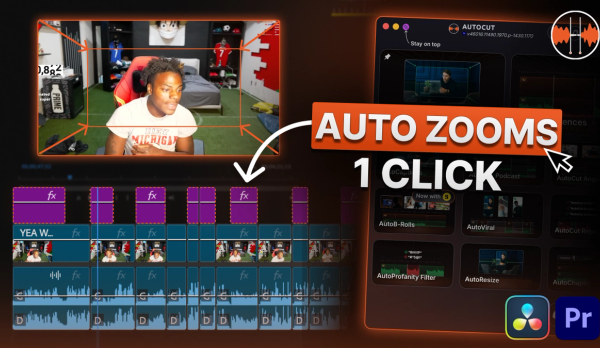
Add smooth, well-timed zooms automatically to keep talking-head edits moving.

AutoZoom feature illustration
AutoViral feature illustration

AutoViral

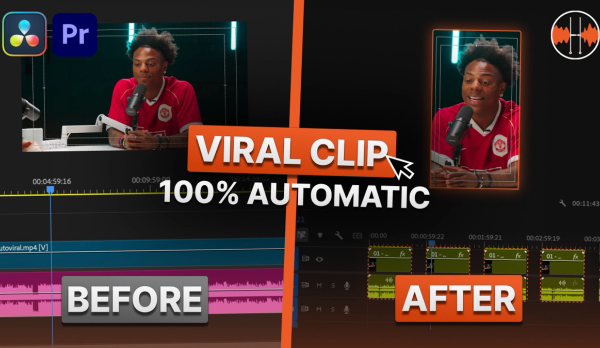
Find the strongest moments in long videos and turn them into short clips ready to refine.

AutoB-Rolls feature illustration

AutoB-Rolls

Add relevant AI images and Storyblocks footage directly to your timeline.

AutoCut Repeat feature illustration

AutoCut Repeat

Detect repeated takes and keep the best version without scrubbing through every attempt.

AutoChapters feature illustration

AutoChapters

Generate YouTube-ready chapters with timestamps, ready to copy and paste.

AutoResize feature illustration

AutoResize

Reframe sequences for social formats while keeping your subject centered.

Why AutoCut

Stay in your timeline from first cut to final export.

AutoCut works directly inside Premiere Pro and DaVinci Resolve. No bouncing files between apps. No re-imports. No quality loss—just one continuous workflow.

Download AutoCut for free

14-day free trial • No credit card required • All features included

External tools
  • Export your video to another app
  • Wait for processing, then re-import
  • Risk quality loss between exports
  • Jump between disconnected tools
  • Wait on someone else’s roadmap
AutoCut
  • Works inside Premiere Pro and DaVinci Resolve
  • No export or re-import
  • Your source quality stays intact
  • One plugin, one continuous workflow
  • New AI improvements every week

Video reviews

See AutoCut in real editing workflows

Watch professional editors put AutoCut to work and explain where it saves them time.

Pricing

Choose the plan that fits your workflow

Compare plans based on how much you edit—clear pricing, no hidden fees.

Explore Enterprise

FAQ

Questions before you download?

Get clear answers on compatibility, licenses, usage limits, and cancellation.

Visit the Help Center

AutoCut supports Premiere Pro 2023–2026 and DaVinci Resolve 18.6 or later. Both DaVinci Resolve Free and Studio are supported. Follow our step-by-step tutorial here.

About AutoCut

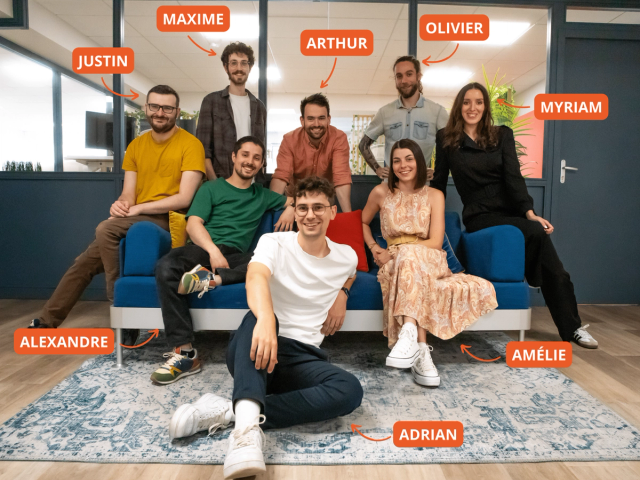
Meet the people building AutoCut

We’re a French team of video-editing enthusiasts building AutoCut alongside the editors who use it. Your feedback helps shape what we improve next.

Meet the team

Blog

Edit faster with practical guides

Explore AutoCut tutorials, product updates, and workflow ideas you can use in your next edit.

switch-angles

Tutorial

2026-08-12

How to Automatically Switch Camera Angles in Premiere Pro with AutoCut (2026)

Editing multicam footage by hand takes hours. With AutoCut Angles you switch between your camera angles automatically in about a minute, and the new multicam editing mode keeps your original footage untouched so you stay fully in control.

Read More
free-trial

Tutorial

2026-07-30

How to Activate Your AutoCut Free Trial in 2026 (No Credit Card Needed)

Activate your AutoCut free trial in 30 seconds, no credit card required, and start saving hours on every edit. Follow this quick step-by-step guide, then unlock a hidden Easter egg that doubles your trial to 28 free days.

Read More
AutoCut July Updates

Update

2026-07-29

AutoCut July Updates: Meet AutoCut Angles & fully localized interfaces

Discover AutoCut’s July updates: meet AutoCut Angles, our new feature for automatically switching between multiple angles in single-speaker videos, plus fully localized Arabic, Turkish, and Polish interfaces.

Read More
View all posts

Take the repetitive work off your timeline

Download AutoCut and try every feature free for 14 days. No credit card required.

Download AutoCut for free